To access the mailing we will go to:
 > EMARKETING > Mailing
The menu that appears contains a list of all campaigns created. Initially it will be empty, if this is your first campaign.
A new campaign can be created by clicking on New Campaign at the top of the window.
This will open the window you can see below.
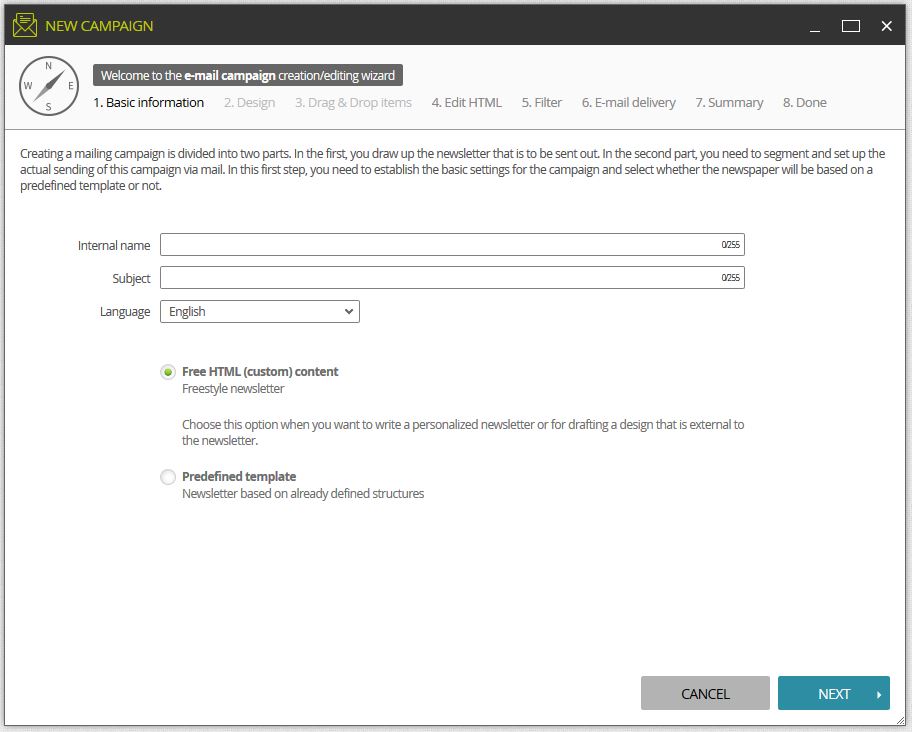
Fill in all the blanks:
Internal name: this name helps us to identify the name of the campaign in LogiCommerce.
Subject: the text indicated here is that which users will receive in the mail.
Language: selects the language you wish to use in the campaign.
Then, you select the mode in which you want to create your newsletter:
Free content (html)
Predefined Template